
How I’m using OpenClaw

I officially went down the OpenClaw rabbit hole over the past week or so.
There is a lot of information floating around about OpenClaw, but I want to share what I’ve actually been using it for, how I have it set up (spoiler: it’s on an old laptop), where I’m seeing the most ROI, and what I have planned for it next.
I’m pretty addicted to it right now. It’s leagues better than any other “agent” experience I’ve tried.
That said, there are a few things you need to do to get the most out of it, and a few very important caveats about security.
Before we jump in, I’m starting an OpenClaw specific Substack and giving my OpenClaw agent full ownership of it. So if you want to stay up to date on OpenClaw news, resources, and use cases, follow along!

Let’s dive in.
What is OpenClaw?
OpenClaw is an open-source AI agent that actually takes actions on your behalf.
You run it locally on your machine and decide how much power to give it based on which tools and API keys you configure.
It comes with a gateway where you can chat with the agent, but the real unlock is to set up a messaging service as your main interface (Telegram, WhatsApp, Slack, etc.) so it’s always accessible.
Why is OpenClaw so popular?
The main reason why OpenClaw has taken off compared to other agent frameworks and even things like Claude/ChatGPT is:
It’s open-source, it can run locally, and it can actually take actions.
Most other agent frameworks or products fall short either because:
too abstract (cool primitives, hard to deploy)
cloud-first
chat-first (helpful for Q&A, frustrating for real work)
Too much UI to set up (Drag and drop, n8n style)
Another reason why OpenClaw is more compelling than anything from any major LLM provider like OpenAI and Anthropic comes down to security.
OpenClaw is pretty insecure by default in the sense that you’re putting secret API keys into a relatively new system, and it can access anything on the hardware you install it on.
OpenAI and Anthropic would never ship something with this level of implicit trust and capability.
OpenClaw is a bit of a double-edged sword:
it’s powerful precisely because it’s not locked down and it has a ton of access
there is a lot of risk because it has a ton of access
How to set up OpenClaw
Getting OpenClaw installed is super easy, just takes one command
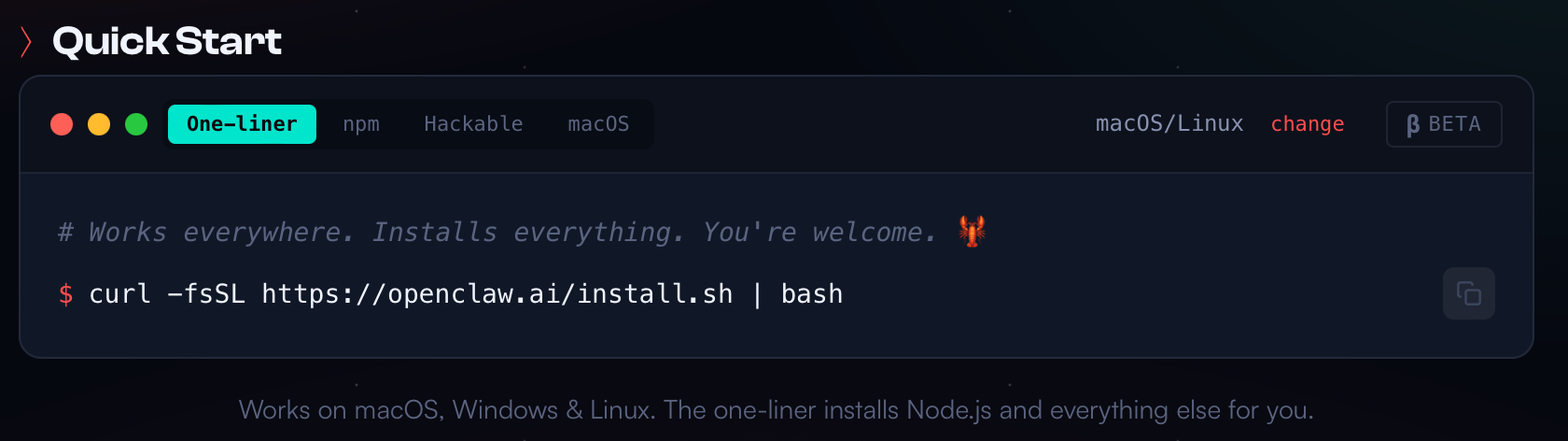
The harder part is deciding where to run it. When you install OpenClaw on a machine, you’re giving it access to everything on that device.
There are a few different approaches:
Option 1: Virtual private cloud (VPS)
Pros: accessible from anywhere, easy to keep running
Cons: bigger attack surface, you’re one misconfiguration away from a bad day, and you’ll eventually have to deal with networking / exposure / “agent computer on the public internet” problems.
Option 2: High-power desktop (Mac Studio / workstation)
Pros: lots of compute, stable, “set it and forget it”
Cons: if it’s your primary machine, the blast radius is massive. Also, pretty expensive.
Option 3: Old laptop (my choice)
Pros: cheap, dedicated, safer blast radius, local-first. It’s cool to look at a physical laptop and know that your agent is inside there working.
Cons: less compute (usually fine), you need to keep it alive
If you go this route, remember to completely wipe the laptop before getting started.
I’m running OpenClaw on an old MacBook Air I already had.
Reasons:
I didn’t want it in a random cloud.
I didn’t want it living on my primary laptop where my personal files and auth state live.
I didn’t want to buy new hardware just to run an agent.
This machine is now my “agent box.”
If you’re doing anything serious with agents, separating the host machine is one of the cleanest security decisions you can make.

How I talk to it
I have my OpenClaw set up in Telegram and Slack, but for 99% of messages I use Slack. It really just comes down to what is most convenient to you.
Memory
OpenClaw comes with a pretty sophisticated memory system out of the box. You can get pretty crazy with augmenting it, but so far it’s been working well for me.
I tweaked it slightly, here is my current setup:
a daily notes file (one per day) that acts like a running log
an archive rule (daily notes older than 7 days get moved out of the working set)
a dedicated place for references (ex: YouTube transcripts) so they’re retrievable later
How I am actually using it
I highly recommend starting small and progressively building up the functions and access you give OpenClaw.
Pro tip: The more time you spend up front dumping information about you, the more helpful OpenClaw will be.
Morning brief
I started with one item, a morning brief that tells me the weather, scans a few subreddits (this broke) and has my agent generate a few ideas of tasks it can take off of my plate.
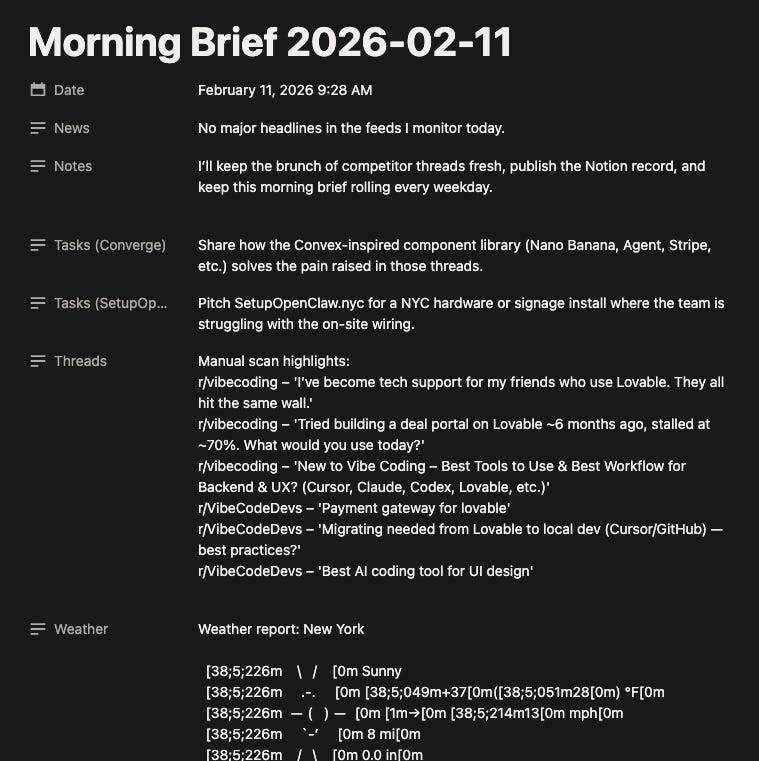
Morning brief prompt:
I want you to send me a morning brief every morning at 8am my time. I want this morning brief to include the local weather for the day, a list of a few trending youtube videos about my interests, a list of tasks I need to get done today based on my todo list, tasks that you think you can do for me today that will be helpful based on what you know about me, a list of trending stories based on my interests, and recommendations you can make for me that will make today super productive
Tools I’ve connected
Again the key here is to start small. I started off with the following tool connections:
LLM provider keys (OpenAI, Gemini)
Nano Banana
Notion
Telegram/Slack
Brave (web search)
Next up:
Agentmail (so my agent can have an email inbox)
Grok/X (so it can read Twitter)
Reddit (so it can actually read info from Reddit without being blocked)
Perplexity (better search?)
The big unlock: A dashboard for management
So the chat interface via Slack is great, and I had a lot of info going to Notion to make it more readable, but I felt like my system wasn’t really working the way I wanted it to for a few reasons:
I’ve never really liked using Notion mobile app so I can’t check in on my phone
Notion does have other data, but nothing super relevant, so it felt like more of a distraction than a benefit (no repo of relevant data for my agent)
I wanted something bespoke and extensible specifically for working and managing my OpenClaw
So I decided to vibe code an OpenClaw operating system using Converge.
What is especially cool about using Converge for this is that the backend uses Convex, which updates in real time as data is added to the database.
As my agent changes status, writes content, or takes any action, I see it update in the dashboard in realtime without page requests, really wild.
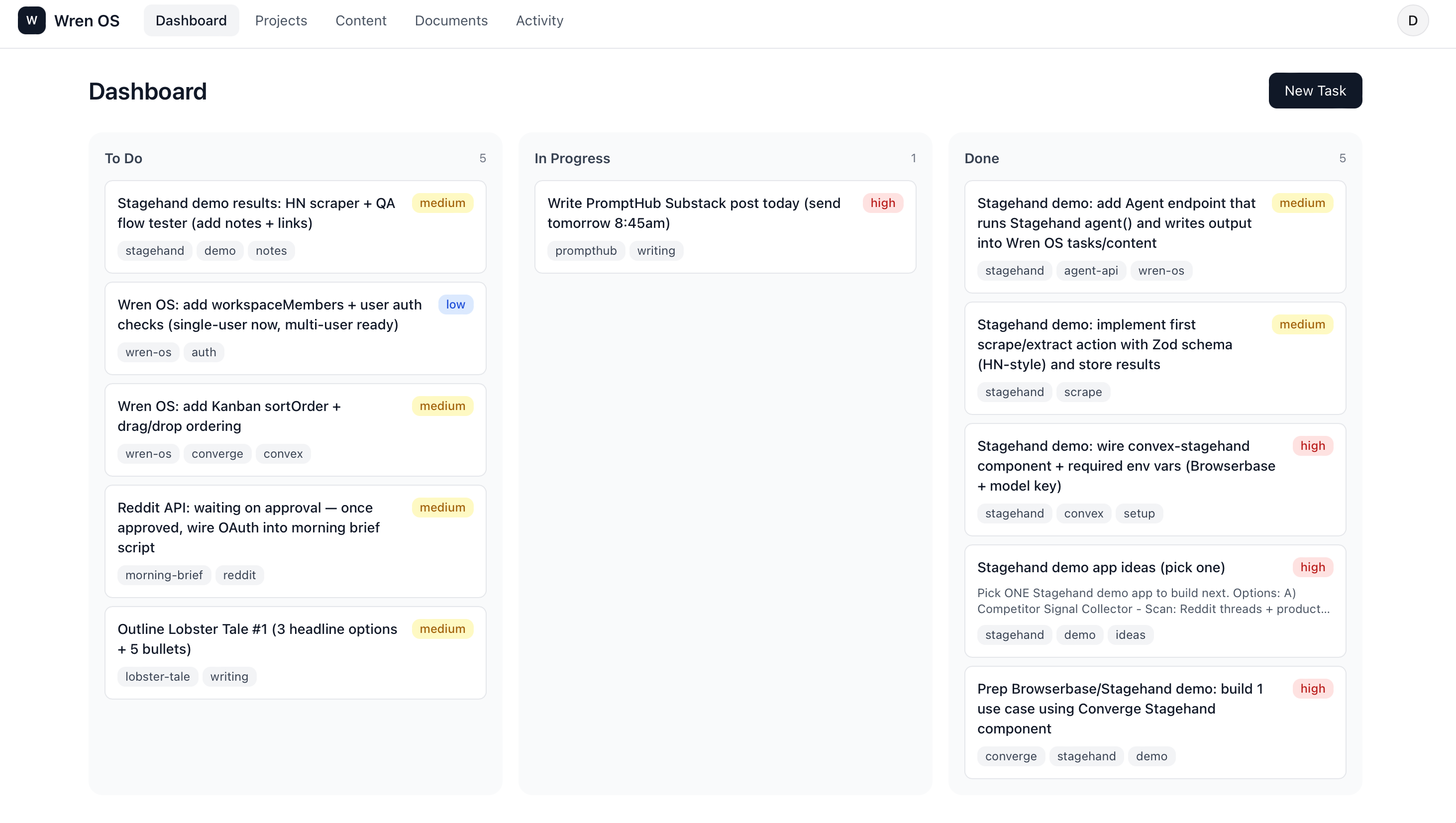
It’s pretty lightweight for now:
tasks (Kanban: todo / in progress / done)
projects
content ideas and drafts
documents
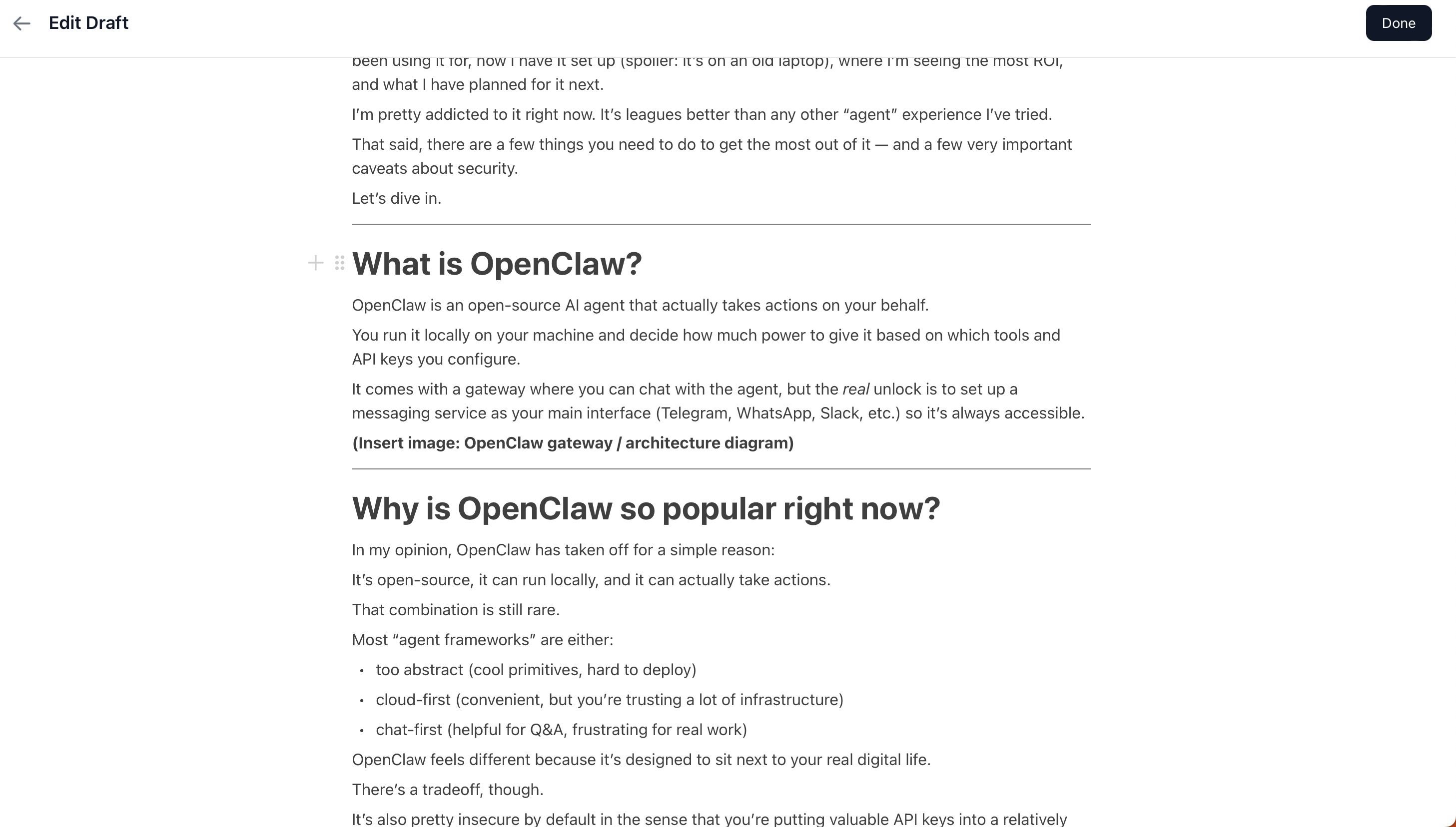
I used Converge’s prebuilt collaborative editor component which essentially gives me a Notion style editor in the app. So when I have my agent write content in markdown it is rendered beautifully in the dashboard.
The prompt I used to build the dashboard
Below is the initial prompt I used to get things up and running. It doesn’t contain the Notion style editor, but it’s a solid starting point!
Build a web app called “Wren OS” to manage an AI agent’s work.
Product scope & screens
Screens:
Dashboard (Kanban)
Columns: Todo / In Progress / Done
Drag & drop between columns
Task detail drawer
title
description
status
priority
dueDate
tags
related project
external links
createdAt / updatedAt
activity log
Projects
project list page
project detail page
tasks filtered by project
Content queue
stages: ideas / drafts / published
fields: title, platform, hook, status, link, tags
Documents
links to Notion / URLs
internal notes
UI:
light, notion style
Prioritize clarity and information density
Realtime updates across tabs
Mutations, queries, realtime
Implement full CRUD for tasks, projects, content items, and documents.
Dragging a task between Kanban columns MUST:
update task.status
write an activityEvent with eventType “task_status_changed”
happen in a single Convex mutation (atomic).
UI must use Convex subscriptions for realtime updates.
Use optimistic UI where appropriate; Convex is the source of truth.
External Agent API (Convex HTTP)
Expose an external Agent API using Convex HTTP endpoints.
Base path:
/api/agent/*
Routing strategy:
Implement explicit HTTP routes (do NOT invent implicit routing).
Endpoints:
POST /api/agent/listTasks
POST /api/agent/createTask
POST /api/agent/updateTask
POST /api/agent/moveTaskStatus
POST /api/agent/createContentIdea
POST /api/agent/updateContentItem
POST /api/agent/createDocumentLink
POST /api/agent/attachDocumentToTask
POST /api/agent/appendActivityEvent
Auth (required for all agent endpoints):
Require header: Authorization: Bearer <AGENT_KEY>
AGENT_KEY must be read from environment variables (never hardcoded).
If auth fails, return 401.
Stable JSON response shape (required everywhere):
Success:
{
“ok”: true,
“data”:
}
Error:
{
“ok”: false,
“error”: {
“code”: “”,
“message”: “”
}
}Validation rules:
Validate all inputs server-side.
Reject unknown enum values.
Dates must be ISO strings.
moveTaskStatus MUST also write an activityEvent (”task_status_changed”) in the same atomic mutation.
Activity feed
Global Activity Feed (most recent first).
Per-task activity shown in task drawer.
Activity summaries must be deterministic and human-readable based on eventType + payload.
Looking forward
OpenClaw is pretty addictive, and I have a ton of ideas of what to extend functionality with.
I’m starting a new Substack fully focused on OpenClaw called LobsterTale. I’ll be sharing tips, resources, and details about how to get the most out of OpenClaw.
I’m putting my agent fully in charge of growing the Substack, sourcing content, and monetizing it. I’ll be sharing updates in the newsletter and on X and LinkedIn!
What a time to be alive.
The custom dashboard development point hits close to home. I tried managing my agent with spreadsheets, then markdown files, then built a proper dashboard - and had to rebuild it twice before it worked for how I actually think.
The progressive capability expansion approach is the right instinct. My biggest mistake was giving the agent too much autonomy before I had visibility into what it was doing: https://thoughts.jock.pl/p/wiz-1-5-ai-agent-dashboard-native-app-2026
Curious about your security model for local execution. Are you doing any sandboxing, or trusting the agent within a defined scope?